Kubernetes objects are persistent entities and used to represent the state of the cluster.
It will be created by using imperative command on live
objects or declaratively from a file.
kubectl command line interface used to send
Kubernetes objects to API server and make necessary actions in the cluster.
In general, we specify Kubernetes objects in the .yml file and send to kubectl CLI. Kubectl converts the information to JSON while interacting with API server
Syntax:
- apiVersion - version of the
Kubernetes API you are using to create an object
- kind - kind of object you
want to create
- metadata - It helps to uniquely
identify the object, including a name, labels and optional
namespace
- spec – It is used to define
desired state for the object
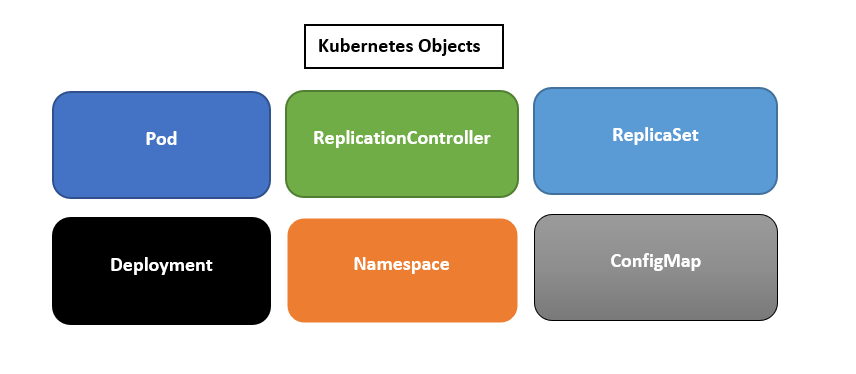
1. Pod
A pod is the most basic unit of the Kubernetes cluster. It
usually contains one or more running containers. Pods are designed to be
ephemeral in nature which means that they can be destroyed at any time.
Containers in a pod share the same network and storage
containers: It contains,
- name:The name of the container that you’ll run in your pod.
- image:The image of the application you want to run in your pods.
- containerPort: It is the port of your
application container is listening to.
2. ReplicationController
It is used to create multiple instances of same pod in the
cluster node. It ensures that at any given time, the desired number of pods
specified are in the running state. If a pod stops or dies, the
ReplicationController creates another one to replace it.
Definition says replicas:2 it means that any given time two
pods must be running in the cluster. If any pod fails, replication controller
creates new pod immediately.
The template section provides characteristics of the pod. It is like Pod definition.
3. Replicaset
It is the next generation of ReplicationController
|
Replicaset |
ReplicationController |
|
It uses matchLabels specified under selection and works as set-based
selector Ex: env=prod/qa It selects all the objects where key=env irrespective of the value |
It uses labels selected under selector section and works as
equality-based selector Ex: env=prod It selects all objects where key=env and value=prod |
|
Selector attribute is mandatory |
selector attribute is not required |
|
It uses rollout technique and will be used internally by Deployment
objects |
It uses rolling update technique. It means, each pod template changes
one at a time until all the pods are updated. |
|
It is not meant to be created on their own, it creates automatically
when deployment objects are created |
It is used to create on their own |
|
It belongs to apiVersion: apps/v1 |
It belongs to apiVersion: v1 |
4. Deployment
It encapsulates both Replicaset and Pod to provide
declarative method for defining a resource.
It is used for managing pods and internally uses Replicaset
for creating number of pods.
It can be used to scale your application by increasing the number of running pods, or update the running application
5. Namespace
It is used for grouping Kubernetes objects in the cluster
and actions will be performed against the namespace.
Example: create namespace for each environment or Team
namespace will be referred in the metadata section of
Kubernetes object.
6. ConfigMap
It is used for creating configurations for the container and
will be changed dynamically while containers are running
There are 3 ways to create configMap
a) from a directory:
- Create a directory and name it my_config
- Inside the directory, create two files: name1.txt and name2.txt
- In the name1.txt file, add the following lines:
- In the name2.txt file add the following lines:
execute the following command to create the directory
b) from files:
The approach is the same as the one for creating ConfigMap from a directory. But in this case, we specify the file path instead of a
folder
c) from literals:
We can consume ConfigMaps in the pod by specifying
“ConfigMapRef”
use “configMapKeyRef” for specifying selected key
- Kubernetes for Developers #25: PersistentVolume and PersistentVolumeClaim in-detail
- Kubernetes for Developers #24: Kubernetes Volume hostPath in-detail
- Kubernetes for Developers #23: Kubernetes Volume emptyDir in-detail
- Kubernetes for Developers #22: Access to Multiple Clusters or Namespaces using kubectl and kubeconfig
- Kubernetes for Developers #21: Kubernetes Namespace in-detail
- Kubernetes for Developers #20: Create Automated Tasks using Jobs and CronJobs
- Kubernetes for Developers #19: Manage app credentials using Kubernetes Secrets
- Kubernetes for Developers #18: Manage app settings using Kubernetes ConfigMap
- Kubernetes for Developers #17: Expose service using Kubernetes Ingress
- Kubernetes for Developers #16: Kubernetes Service Types - ClusterIP, NodePort, LoadBalancer and ExternalName
- Kubernetes for Developers #15: Kubernetes Service YAML manifest in-detail
- Kubernetes for Developers #14: Kubernetes Deployment YAML manifest in-detail
- Kubernetes for Developers #13: Effective way of using K8 Readiness Probe
- Kubernetes for Developers #12: Effective way of using K8 Liveness Probe
- Kubernetes for Developers #11: Pod Organization using Labels
- Kubernetes for Developers #10: Kubernetes Pod YAML manifest in-detail
- Kubernetes for Developers #9: Kubernetes Pod Lifecycle
- Kubernetes for Developers #8: Kubernetes Object Name, Labels, Selectors and Namespace
- Kubernetes for Developers #7: Imperative vs. Declarative Kubernetes Objects
- Kubernetes for Developers #6: Kubernetes Objects
- Kubernetes for Developers #5: Kubernetes Web UI Dashboard
- Kubernetes for Developers #4: Enable kubectl bash autocompletion
- Kubernetes for Developers #3: kubectl CLI
- Kubernetes for Developers #2: Kubernetes for Local Development
- Kubernetes for Developers #1: Kubernetes Architecture and Features
Happy Coding :)
Comments
Post a Comment